 Messaging Compliance
 SMS Messaging Opt-In & Consent
This page documents how Uways collects end-user consent before sending SMS messages, provided for A2P 10DLC carrier campaign review.
About Uways
Uways is a B2B chauffeur and ground transportation platform. Professional drivers use the Uways mobile app to manage rides. To keep accounts secure, Uways sends one time SMS verification codes (2FA) to the phone number a driver provides when creating their account.
Use Case
Two Factor Authentication (2FA). SMS one time passcodes are sent so drivers can verify their identity and securely access their Uways account. Messages are triggered only by a user action (account creation, login, or verification request).
How Users Opt In
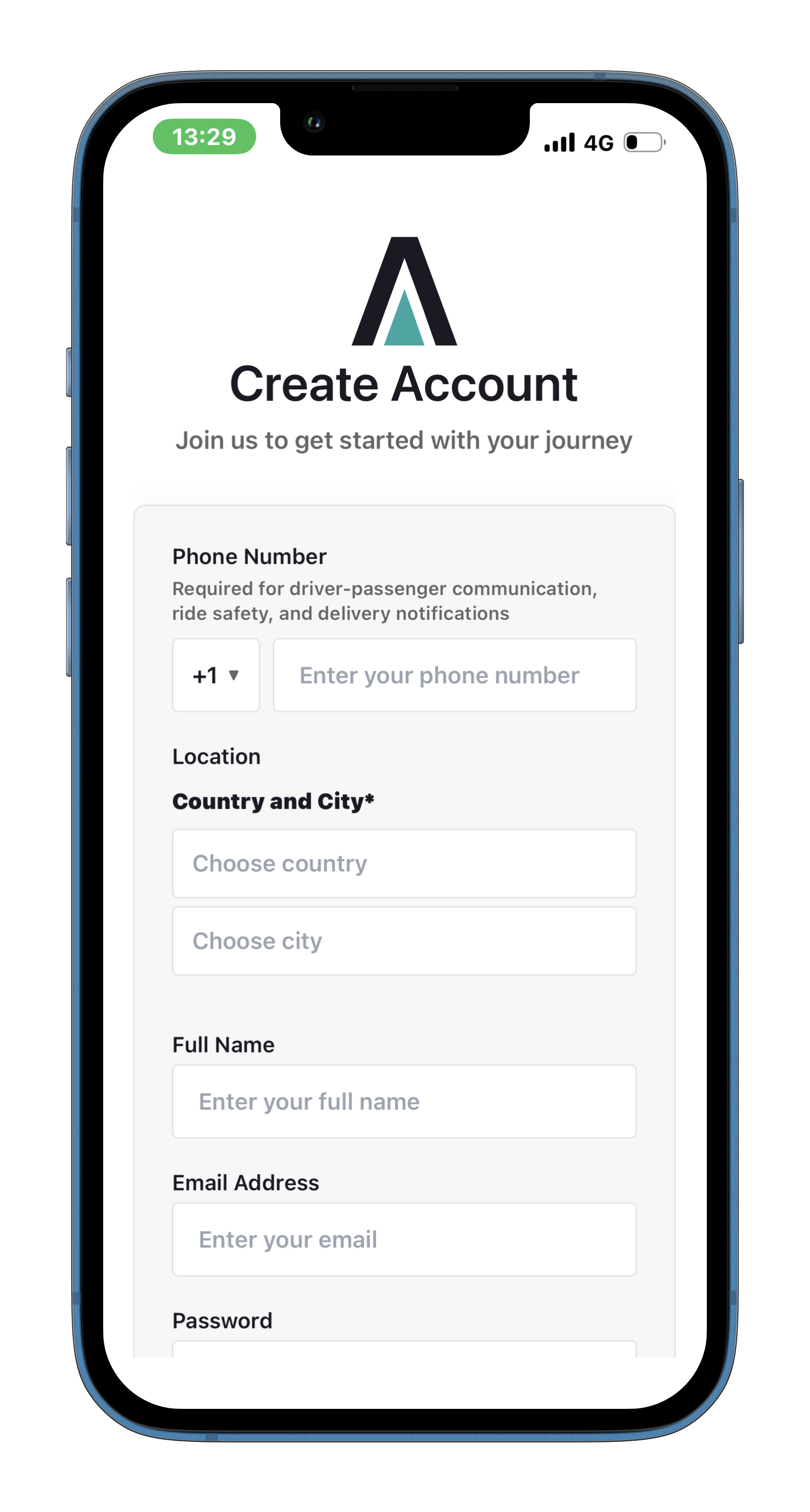
- A driver downloads the Uways app and opens the Create Account screen.
- They enter their mobile phone number along with their account details.
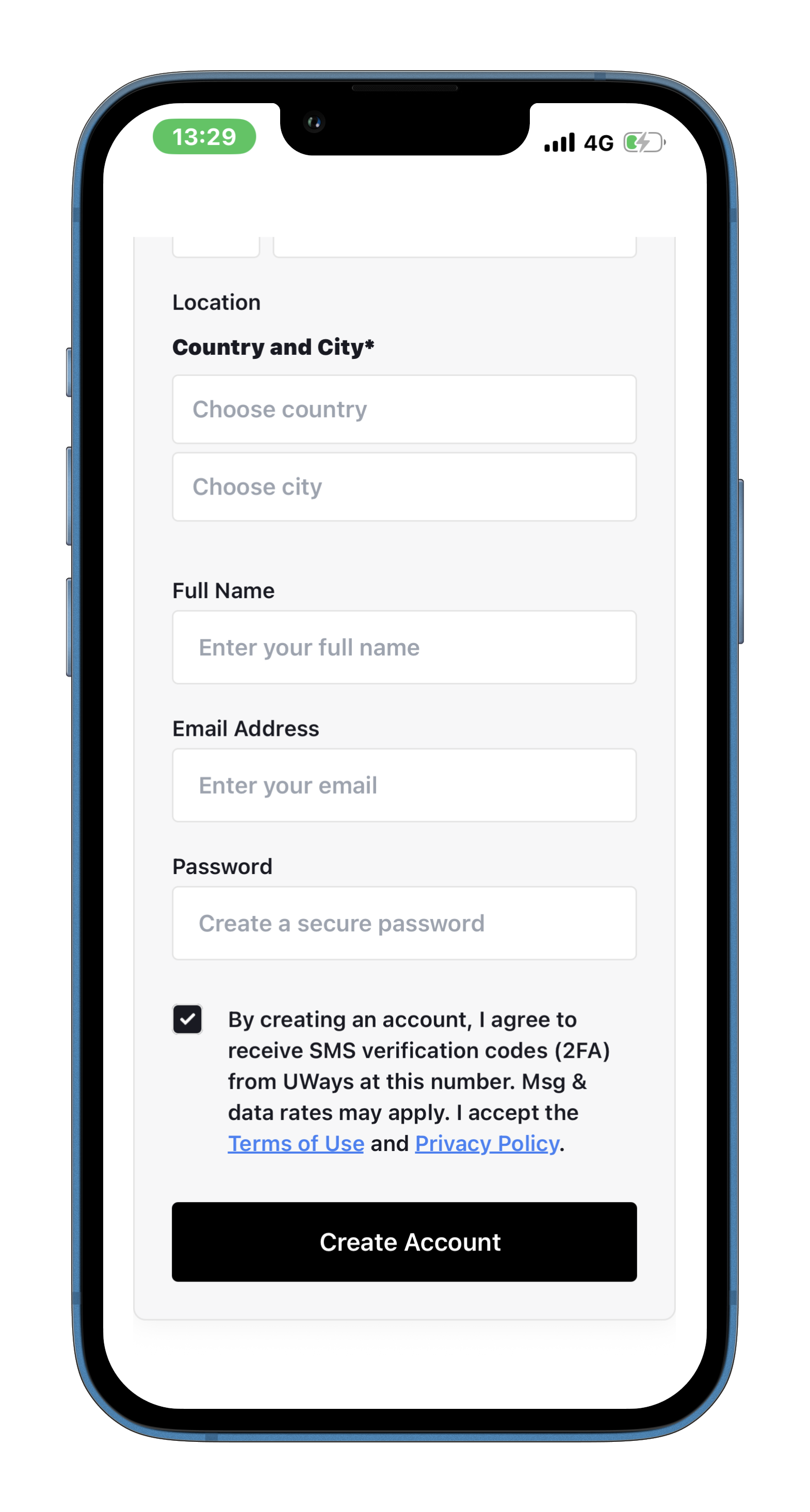
- They must tick a consent checkbox unchecked by default agreeing to receive SMS verification codes. The account cannot be created without it.
- Uways then sends an SMS one time code to the provided number to complete verification.
Opt-In Screen
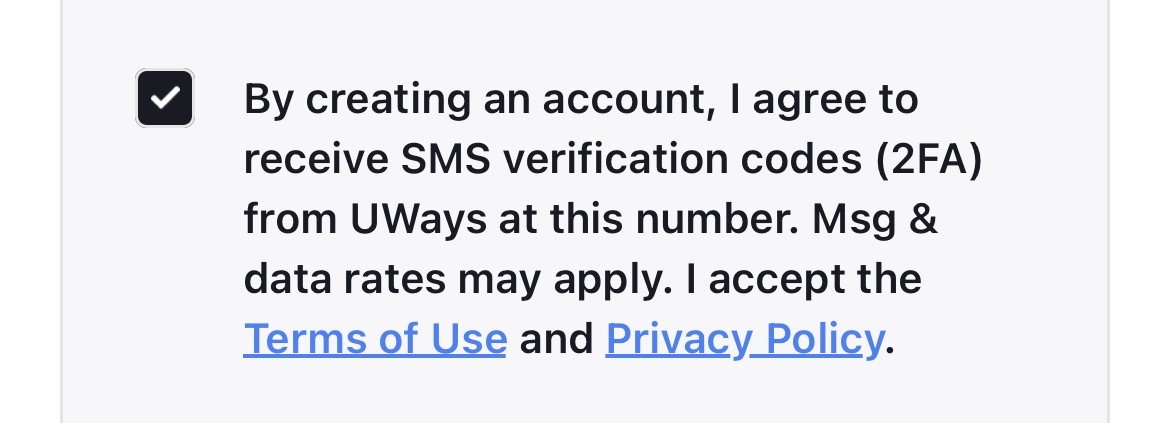
Exact Consent Language
Message Details
| Sample message | Your Uways verification code is 123456. Do not share it with anyone. |
| Message frequency | Only when a user creates an account, logs in, or requests a verification code. Uways does not send marketing or promotional SMS. |
| Message & data rates | Message and data rates may apply, depending on the user's mobile carrier and plan. |
| Opt-out | Users can reply STOP to any message to stop receiving SMS, and HELP for assistance. |
Privacy & Terms
Consent data and phone numbers are handled in line with our policies: